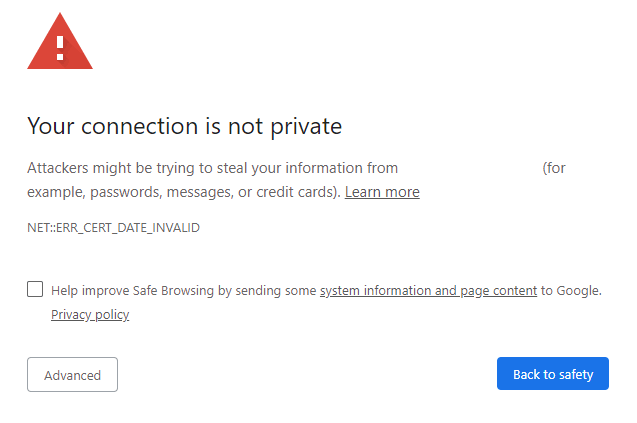

Nginx: Troubleshoot TLS Security Settings – Identifying Connection Errors and Invalid Certificates
As a web server administrator, ensuring the security of your website’s TLS connection is crucial. Nginx, a popular web server software, provides robust support for TLS (Transport Layer Security) encryption. However, even with proper configuration, errors can occur. In this blog post, we’ll cover how to identify TLS connection errors and troubleshoot invalid certificates in Nginx.
Identifying TLS Connection Errors
When a TLS connection error occurs, Nginx will log the error message in its error log file. You can access the error log by navigating to your Nginx configuration directory and opening the error.log file. Common TLS connection errors include:
- SSL/TLS handshake failure: This error occurs when the client (usually a web browser) and server cannot agree on a common cipher suite or protocol.
- Certificate verification failure: This error occurs when the client cannot verify the authenticity of the server’s certificate.
- Certificate chain validation failure: This error occurs when the client cannot verify the chain of trust between the server’s certificate and a trusted root certificate.
To identify TLS connection errors in your Nginx error log, you can use regular expressions to search for specific patterns. For example, you can use the following command to search for SSL/TLS handshake failures:
grep "SSL: Handshake failed" /path/to/nginx/error.logTroubleshooting Invalid Certificates
Invalid certificates can cause TLS connection errors and compromise your website’s security. Common issues with certificates include:
- Expired certificates: Certificates that have expired or are about to expire.
- Invalid domain names: Certificates issued for incorrect domain names or wildcards.
- Missing intermediate certificates: Intermediate certificates not included in the certificate chain.
To troubleshoot invalid certificates in Nginx, follow these steps:
- Check certificate expiration: Verify that your certificate has not expired or is not about to expire.
- Verify domain name matching: Ensure that the certificate is issued for the correct domain name or uses a wildcard certificate correctly.
- Check intermediate certificates: Verify that all intermediate certificates are included in the certificate chain.
Nginx Configuration Options
Nginx provides several configuration options to troubleshoot TLS connection errors and invalid certificates:
- ssl_certificate: Specify the path to your SSL/TLS certificate file.
- ssl_certificate_key: Specify the path to your SSL/TLS private key file.
- ssl_protocols: Specify which SSL/TLS protocols to support (e.g., TLSv1.2).
ssl_ciphers: Specify which ciphers to use (e.g., ECDHE-RSA-AES256-GCM-SHA384).ssl_session_cache: Configure session caching to improve performance.
Example configuration:
http {
    ...
    server {
        listen 443 ssl;
        ssl_certificate /path/to/cert.pem;
        ssl_certificate_key /path/to/key.pem;
        ssl_protocols TLSv1.2;
        ssl_ciphers ECDHE-RSA-AES256-GCM-SHA384;
        ssl_session_cache shared:SSL:10m;
    }
}
Conclusion
In this blog post, we covered how to identify TLS connection errors and troubleshoot invalid certificates in Nginx. By following these steps and using Nginx configuration options, you can ensure a secure and reliable TLS connection for your website.
Remember to regularly check your Nginx error logs for TLS connection errors and investigate any issues promptly to maintain a secure and trustworthy online presence.
Additional Resources
